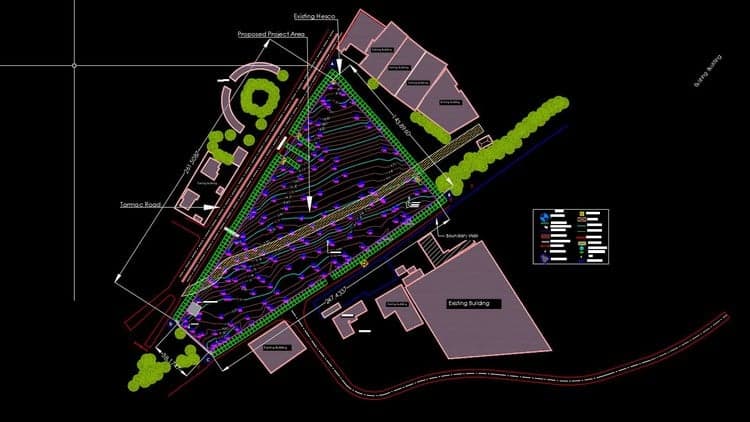
AutoCAD Civil 3D Topographic and Boundary Survey
About this course
You can maintain consistent data and improve project performance with the help of the features and tools provided by AutoCAD Civil 3D software, a design and documentation solution for civil engineering. Learn how to use this powerful software to deal with every task involved in a survey project, such as boundary analysis and generating TIN surfaces, in this course. Murad Farooq, your instructor, takes you through the process of creating your survey database to get you going.
In addition, he shows how to translate surveys, draw and mark boundaries, and construct automatic linework. He gives some excellent productivity tips at the end of the course.Significant Highlights of the Course:Introduction1. 1-Welcome2.
What to Know3. Exercise FilesGetting Started1. Topographic Data, Filed data, and codes2.
Drawing or Survey3. How to Set up Survey Database4. Point Style and Points PropertiesField to Finish1.
Explain Filed to Finish Workflow2. Description: Key sets3. Figure prefix database4.
Linework code sets5. Creating Automatic Linework6. How to install the Support file for the survey database on the machineExplain Points Completely Detailed1.
Points introduction2. MANUAL POINTS3. Create Points on Polyline4.
POINT EDITING5. IMPORT POINTS GROUP, Part-16. POINTS GROUP, Part 27.
Points group settingsAbout The TIN Surfaces1. Introduction to TIN Surfaces2. Adding definition to The Surface3.
Quality Checks4. Surface Boundaries5. Create Surface from CSV File6.
Delete Extra lines From the Surface7. Change Contour Smoothing and contour intervals8. Surface Style9.
Create a surface from 3D points polyline AutoCAD points and DEM10. Add surface labels11. Grid on Surface12.
Surface Analysis13. Surface Analysis Table14. Export and Import surfacesBoundary Survey in Autodesk Civil 3D1.
How to Draw a Boundary2. How to Label a Boundary3. Creating tags and tag tables4.
Creating PARCEL5. Map Check6. Balancing a Traverse7.
Create ReportsIntroduction to Parcels:What are parcels?Parcel properties and labelsParcels Subdivide and Slide lineEdit Slide LineSwingline and Swingline EidtFree Form and other optionsParcel Union & DissolveParcels Table and Table SettingsParcel details report and table data export Productivity Tips and TricksGrips in Civil 3DMeasuring tools in AutoDesk Civil 3DArea calculations in AutoDesk Civil 3DCenterline and Center markPanorama WindowTransparent CommandInquiry tool
Skills you'll gain
Available Coupons
8A2EDE0B1CA0FEE91DE0ACTIVE100% OFFUses Left
464 / 1000
Expires In
Calculating...
Last Checked
Calculating...
Course Information
Level: All Levels
Suitable for learners at this level
Duration: Self-paced
Total course content
Instructor: Murad Farooq
Expert course creator
This course includes:
- 📹Video lectures
- 📄Downloadable resources
- 📱Mobile & desktop access
- 🎓Certificate of completion
- ♾️Lifetime access